Picking an audio interface is mostly about matching your channel count to how you actually record. A solo songwriter overdubbing one mic at a time has very different needs from someone tracking a full drum kit or a live band, and buying too few inputs is the most common regret. Preamp quality, headroom, and how the box expands over time matter just as much as the headline price.
Our picks are built from manufacturer specs, owner feedback, and reviewer consensus. See how we pick for the full approach. New to the category? Start with our beginner home-studio setup and the audio-interface glossary entry for the basics.
What to look for
- Input count and type. Count how many mics and instruments you record at once, then add room to grow. Look at how many of the inputs are mic preamps (with phantom power) versus line-level returns for synths and outboard gear.
- Preamp headroom and converters. Cleaner preamps and higher-resolution converters give you more margin before clipping. Some newer interfaces capture in 32-bit float, which makes a too-hot or too-quiet take far more recoverable.
- Round-trip latency and driver stability. Look for low-latency direct or DSP monitoring so you can sing and play against a real-time signal; on the software side, a mature driver (ASIO on Windows, Core Audio on Mac, with iPad support if you track mobile) prevents more day-to-day frustration than any spec sheet.
- Headphone outputs and cue mixes. If more than one person tracks at once, check how many independent headphone feeds the unit drives and whether each can carry its own mix, so the singer and the drummer aren't stuck hearing the same blend.
- Expansion. An ADAT optical input lets you add eight more preamps later through an external unit, so a modest interface can grow into a band-tracking rig without replacing the whole front end.
- Bundled tools. Onboard DSP effects, loopback for streaming, and included plug-in software can meaningfully change the real value of a unit.
See how we pick for the full method behind these calls.
Our picks
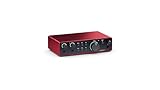
- Best budget / getting started — Focusrite Scarlett 2i2 (4th Gen) (around $180). The category-default two-in/two-out: clean preamps, a mature driver on both Mac and Windows, and Air mode for a brighter vocal. Pick this if you record one or two sources at a time and want the safest first interface. On a rock-bottom budget, the Behringer U-PHORIA UMC202HD (around $89) covers the same two-channel basics for far less.
- Best overall — Audient iD24 (around $495): two console-grade preamps, balanced inserts, and ADAT expansion make it a flexible home-studio anchor that scales up later. Pick this if you want pro preamps now with room to grow.
- Best for tracking a band — Audient EVO 16 (around $499): eight EVO preamps with multichannel Smartgain auto-level the whole kit or ensemble at once, and its two headphone outs let a singer and drummer each get an independent cue mix.
- Best preamp character — SSL 12 (around $499): four SSL preamps with 32-bit converters, plus CV outputs to sequence hardware synths and two separate headphone outs so an engineer and a vocalist can monitor different blends.
- Best onboard FX — Antelope Zen Go Synergy Core (from around $499): a bus-powered 4x8 with 37 built-in Synergy Core effects for monitoring and mixing without taxing your CPU.
- Best for forgiving captures — PreSonus Quantum HD 2 (around $350): 32-bit-float recording with MAX-HD preamps and deep ADAT expansion for rescuing hot or quiet takes.
Once you know which interface fits your workflow, build a complete setup and let the builder pair it with monitors, mics, and the rest of your room.