Picking a CPU in 2026 is harder than it should be, because the "best" chip depends entirely on what you actually do with the machine. A processor that dominates gaming benchmarks can be the wrong buy for a video editor, and the productivity flagship you'd pick for rendering may be overkill — and overpriced — for someone who mostly plays games at 1440p. On top of that, platform choice locks you into a socket and memory generation for years, so the decision ripples through the rest of the build.
To sort the genuinely worthwhile chips from the ones that only look good on a spec sheet, we track manufacturer specs, street pricing, and the broad consensus across reviewers. Here's how to narrow it down, and the specific processors we'd shortlist right now.
What to look for
- Match the chip to your primary workload. Gaming-first builds reward CPUs tuned for high frame rates, while rendering, compiling, and heavy multitasking reward chips with more cores and threads. Buying the wrong kind wastes money in both directions.
- Think about the whole platform, not just the chip. The socket determines your motherboard options, the memory generation it supports, and how long you can upgrade later without a full teardown. A "drop-in" upgrade for an existing board can save hundreds.
- Watch real street prices, not launch MSRPs. Several strong CPUs now sell well below their original list price, which quietly reshuffles the value rankings. The best deal often isn't the newest part.
- Right-size the cooling and power. Higher-performance chips demand more capable cooling and a power supply with headroom. AMD's X3D gaming chips run relatively cool and sip power, so a strong air cooler is plenty, while Intel's productivity flagships pull more under all-core load and reward a 240mm-plus liquid setup — see our best CPU coolers guide to match the chip.
- Don't overbuy. A mid-tier processor is plenty for most 1440p gaming and everyday creative work. Spend the savings on the GPU or storage instead.
See how we pick for the full method behind these calls.
Our picks
- Best overall — AMD Ryzen 9 9950X3D (around $640). Our top "no compromise" pick: it's built to handle both gaming and heavy productivity in one chip, so you don't have to choose. The premium price is the trade-off.
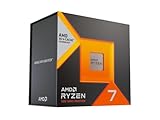
- Best gaming value — AMD Ryzen 7 9800X3D (around $449). The consensus best gaming CPU thanks to its 3D V-Cache, and it carries our highest "pro" tier marks for pure play. Pick this if you mostly game; choose the Intel 285K below instead if your time tilts toward rendering, editing, or heavy multitasking.
- Best deal-market pick — AMD Ryzen 7 7800X3D (around $375). A previous-gen gaming standout that remains a top choice in the 2026 prebuilt and deal market when you can find it discounted.
- Best Intel flagship — Intel Core Ultra 9 285K (around $475). Intel's productivity flagship, now selling well under its launch price. Pick this over the 9800X3D if your work leans heavily on multitasking and content creation rather than pure frame rates — just plan for the more robust cooling its all-core power draw wants.
- Best mid-range value — Intel Core Ultra 7 265K (around $259). A productivity-leaning processor that frequently drops to a very approachable price on sales without giving up much. The sweet spot if you want strong all-rounder performance without flagship pricing.
- Best budget / first build — AMD Ryzen 5 8600G (around $191). Pick this if you're building your first PC on a tight budget: it's a six-core AM5 chip with capable integrated graphics, so you can run light 1080p gaming and everyday work with no discrete GPU at all, then drop in a card later. Same socket as the chips above, so the upgrade path stays open for years.
Once you've settled on a processor, the rest of the parts list should fall in line around it. Use our builder to build a complete setup and match your CPU with a balanced board, memory, and GPU.