Skip to content

Best High-End Graphics Cards for PC Builds (2026)

A research-based rundown of the best high-end graphics cards in 2026, sorted by resolution and budget so you can match a GPU to your build without overpaying in a volatile market.

Published 6/13/2026 · Updated 6/15/2026 · research-based — we do not hands-on test products; every spec is sourced or flagged as unverified.

Our pick1440p Sweet Spot (7800X3D + 9070 XT)9 compatibility-checked partsSee the build ↓

Picking a high-end graphics card in 2026 means cutting through one of the messiest markets in PC hardware. Street prices swing wildly above and below MSRP depending on the week, VRAM has quietly become the spec that decides whether a card ages well, and the gap between "playable" and "future-proof" at 1440p and 4K is wider than the marketing suggests. The right card depends almost entirely on your target resolution and how long you want it to last before the next upgrade.

This is a research-based guide. We do not bench or hands-on test hardware; instead we weigh manufacturer specs, positioning, and current market pricing to sort the genuine values from the overpriced. Here is how we pick.

What to look for

  • Target resolution first. A 1080p card, a 1440p card, and a 4K card are different purchases. Buying far above your monitor's resolution wastes money; buying below it caps your experience no matter how strong the chip is.
  • VRAM headroom. Texture-heavy modern games and high-resolution play eat memory fast. A card with more VRAM tends to stay relevant longer, even if its raw horsepower is matched by a leaner rival.
  • Upscaling and frame generation. DLSS, FSR, and frame-gen meaningfully extend a card's useful life. Current-generation features matter more than a slightly higher base frame rate.
  • Price versus MSRP, right now. This market routinely sells cards above or below list. A nominally weaker card found near or below MSRP often beats a "better" card marked up hundreds of dollars.
  • Your full budget. The GPU is one line item. Overspending here can starve the CPU, RAM, or power supply your build actually needs.

Our picks

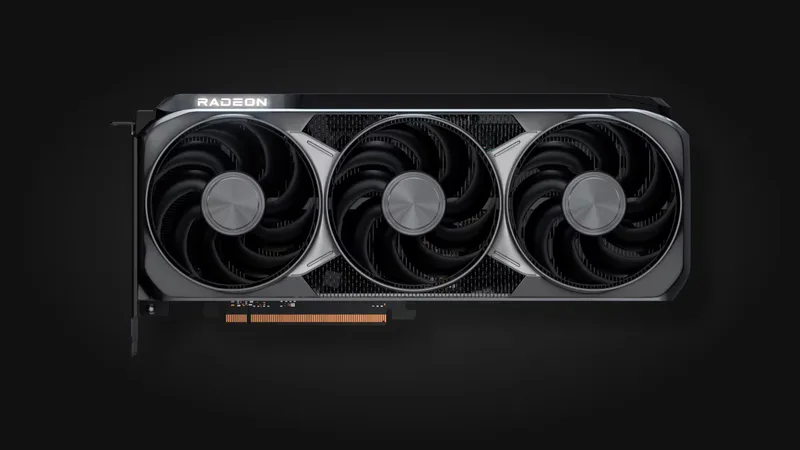
  • Best overallAMD Radeon RX 9070 XT. The strongest all-rounder here, an RDNA4 card that handles 1440p comfortably and stretches into 4K, with the best blend of price and capability in this lineup.
  • Best valueAMD Radeon RX 7700 XT. A solid 1440p card and one of the rare options sitting at or under its list price rather than marked up, which makes it punch above its tier.
  • Best budgetNVIDIA GeForce RTX 5050. The cheapest current-generation RTX card, built for 1080p with DLSS 4 support to keep frame rates healthy on a tight budget.
  • Best premiumNVIDIA GeForce RTX 5090. The no-compromise flagship for 4K path-tracing and local AI work. It is overkill for most builds, but nothing else here matches it.
  • 16 GB 1440p alternativeAMD Radeon RX 7800 XT. A 16 GB workhorse worth grabbing if you find it near MSRP, giving you extra VRAM headroom for 1440p longevity.

Once you have settled on a card, the rest of the build needs to match it — CPU, memory, power, and cooling all factor in. Use our tool to build a complete setup and make sure your parts work together before you buy.
What changed in 2026

The high-end GPU market is still defined by volatility: street prices routinely drift above and below MSRP week to week, so the smartest buy is often the card that happens to be near list price the day you shop. The bigger structural shift is VRAM. Memory has quietly become the spec that decides longevity, and cards with 16GB or more, like the AMD Radeon RX 9070 XT, are aging better than leaner rivals with similar raw horsepower. Upscaling and frame generation have also matured to the point where a card's feature set now matters as much as its base frame rate.

Mistakes beginners make

  • Buying a GPU far above your monitor's resolution, paying for 4K horsepower while running a 1440p panel like the LG UltraGear 27GP850-B.
  • Treating VRAM as an afterthought, then watching texture-heavy games stutter a year or two later.
  • Pairing a power-hungry card with a borderline power supply instead of matching its recommended PSU headroom.
  • Overpaying during a price spike when waiting a week often brings the same card back near MSRP.
  • Ignoring physical fit, since long high-end cards do not drop into every case or clear every cooler.

How much to spend

Minimum viable

Spend just enough to hit your actual resolution and refresh target with current-gen upscaling support. The goal here is a card that plays today's games well at 1080p or entry 1440p without VRAM starving in the next year.

Sweet spot

This is where most builders should live: a 16GB-class 1440p card such as the AMD Radeon RX 9070 XT that has VRAM headroom and modern frame-gen, so it stays relevant for several upgrade cycles rather than aging out fast.

Buy once, cry once

If you run high-refresh 4K and want maximum longevity, stretch to the most VRAM and horsepower you can justify. The premium hurts up front, but it pushes your next GPU purchase further out.

How to choose: the decision that matters

The two axes that actually drive a GPU purchase are target resolution (what your monitor demands) and VRAM headroom (how long the card stays relevant). Plot your needs against both:

  • High resolution, high VRAM: the future-proof 4K buy, worth the premium if your panel justifies it.
  • High resolution, low VRAM: a trap. Fast today, but it chokes on texture-heavy games before its compute power gives out.
  • Lower resolution, high VRAM: the long-life value pick, ideal for 1440p builds you want to keep for years.
  • Lower resolution, low VRAM: fine for a short-horizon 1080p build, but plan to upgrade sooner.

How we researched this

Our picks are drawn from a sourced product catalog where every spec is either sourced or flagged, weighed against current market pricing and positioning rather than hands-on benchmarks. See our methodology for how we sort genuine values from overpriced ones, and check the field-level sources on each product page to verify any spec yourself.

The recommended setup

1440p Sweet Spot (7800X3D + 9070 XT)

Product links on this site may be affiliate links — same price for you, and picks are never influenced by commissions.

Frequently asked

What does this best high-end graphics cards for pc builds (2026) guide cover?
A research-based rundown of the best high-end graphics cards in 2026, sorted by resolution and budget so you can match a GPU to your build without overpaying in a volatile market.
What's in the recommended 1440p Sweet Spot (7800X3D + 9070 XT) setup?
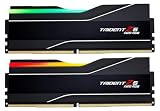
1440p Sweet Spot (7800X3D + 9070 XT) pairs 9 compatibility-checked parts — CPUs: AMD Ryzen 7 7800X3D; Motherboards: MSI MAG B850 Tomahawk Max WiFi; RAM: G.Skill Trident Z5 Neo RGB 32GB (2x16) DDR5-6000 CL30; GPUs: AMD Radeon RX 9070 XT; Storage: Samsung 990 PRO (2 TB); Power Supplies: Corsair RM850x (2024); Cases: Lian Li Lancool 216; CPU Coolers: Arctic Liquid Freezer III 240 A-RGB; Monitors: LG UltraGear 27GP850-B.
Does Setup Gear Guide hands-on test these products?
No — this guide is research-based. We do not hands-on test products; every spec is sourced or flagged as unverified, and product links may be affiliate links that never change our picks.
All PC Builds guides →