Skip to content

Best CPU Coolers for PC Builds (2026)

A research-based shortlist of CPU coolers spanning low-profile, budget air, mid-range, premium, and 360mm liquid, with guidance on matching cooling to your CPU and case.

Published 6/13/2026 · Updated 6/15/2026 · research-based — we do not hands-on test products; every spec is sourced or flagged as unverified.

Our pick1440p Sweet Spot (7800X3D + 9070 XT)9 compatibility-checked partsSee the build ↓

Picking a CPU cooler is mostly about matching three things: the heat your CPU actually puts out, the physical space inside your case, and the noise you're willing to live with. Modern flagship chips can spike well past 200W under load, so a cooler that was fine for a midrange build a few years ago may now thermal-throttle a current X3D or Ultra part. At the same time, slim ITX and home-theater cases simply won't close around a tall tower. The trick is buying enough cooling for your chip without overspending on capacity you'll never use.

What to look for

The biggest fork is air versus liquid. A good dual-tower air cooler is simple, reliable, and has no pump to fail, while a 240mm or 360mm AIO moves more heat away from the socket and usually looks cleaner in a windowed build. Beyond that, weigh these factors:

  • Clearance — check tower height against your case spec and confirm the cooler won't block tall RAM or the top PCIe slot. In small cases, low-profile height is the whole game.
  • Thermal headroom — match the cooler's rated wattage class to your CPU's real-world power draw, with margin for sustained loads, not just short bursts.
  • Noise — bigger heatsinks and larger fans move the same air at lower RPM, so they tend to run quieter for the same cooling.
  • Socket support — verify the included bracket fits your platform (AM5, LGA1851, LGA1700) so you're not waiting on a separate mounting kit.
  • Radiator size (for AIOs) — 240mm suits most builds; step up to 360mm for the hottest chips or if you want the quietest possible curve.

These picks are research-based, drawn from manufacturer specs and the broad consensus on each cooler — see how we pick for the full approach.

Our picks

Once you've settled on cooling, make sure the rest of your parts hang together: build a complete setup and we'll match a balanced configuration around it.
What changed in 2026

Cooling demand keeps climbing as flagship CPUs push higher sustained power, so the practical floor for a high-end build has crept from 240mm toward 280mm and 360mm liquid. The encouraging shift is at the value end: thick, well-engineered 240mm AIOs now cool current chips that used to demand a bigger radiator, and strong dual-tower air coolers remain fully competitive. Mounting hardware has also matured, with most coolers now shipping native brackets for AM5, LGA1700, and LGA1851 in the box. The net effect is that you can spend less on cooling this cycle than the spec sheets might suggest, provided you match the cooler to your CPU's real draw.

Mistakes beginners make

  • Buying a tall tower cooler without checking it against the case's maximum cooler height, then finding the side panel won't close.
  • Overspending on a 360mm AIO for a midrange CPU that a quiet air cooler would have handled for far less.
  • Ignoring RAM and top-slot clearance, so the cooler fouls tall RGB memory or the first PCIe slot.
  • Sizing cooling to short benchmark bursts instead of sustained all-core loads, where heat actually accumulates.
  • Assuming any cooler fits the socket and skipping the bracket check for AM5, LGA1700, or LGA1851.

How much to spend

Minimum viable

For a budget or low-power build, a competent single-tower air cooler or a basic 240mm unit is plenty. Spend just enough to keep your chip out of thermal throttle under sustained load, and put the savings elsewhere in the build.

Sweet spot

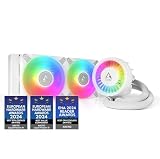
Most builders are best served by a thick 240mm liquid cooler or a strong dual-tower. The Arctic Liquid Freezer III 240 A-RGB is a good template here: enough headroom for a chip like the Ryzen 7 7800X3D, broad socket support, and a clean look in a windowed case like the Lian Li Lancool 216.

Buy once, cry once

If you run a power-hungry flagship or want the quietest possible system, step up to a premium 360mm AIO or a top-tier dual-tower. You are paying for noise floor and long-term margin, not raw survival.

How to choose: the decision that matters

Two axes really drive this category: thermal headroom (how much heat the cooler can move from the socket) versus case fit and noise tolerance (how much radiator or tower height your case and ears will accept). Think of it as a 2x2.

  • High headroom, generous case: a 360mm AIO or large dual-tower — the right call for a flagship in a full ATX case.
  • High headroom, tight case: a thick 240mm AIO front-mounted, your best bet when a tall tower won't fit.
  • Modest headroom, generous case: a quiet single- or dual-tower air cooler — simple, reliable, no pump to fail.
  • Modest headroom, tight case: a low-profile cooler, where height is the whole game in ITX and home-theater builds.

How we researched this

These picks are drawn from our sourced product catalog, where every spec is either cited or flagged when a figure couldn't be confirmed. This is research-based guidance rather than hands-on lab testing, so we encourage you to read our methodology and check the field-level sources listed on each product page before you buy.

The recommended setup

1440p Sweet Spot (7800X3D + 9070 XT)

Product links on this site may be affiliate links — same price for you, and picks are never influenced by commissions.

Frequently asked

What does this best cpu coolers for pc builds (2026) guide cover?
A research-based shortlist of CPU coolers spanning low-profile, budget air, mid-range, premium, and 360mm liquid, with guidance on matching cooling to your CPU and case.
What's in the recommended 1440p Sweet Spot (7800X3D + 9070 XT) setup?
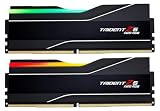
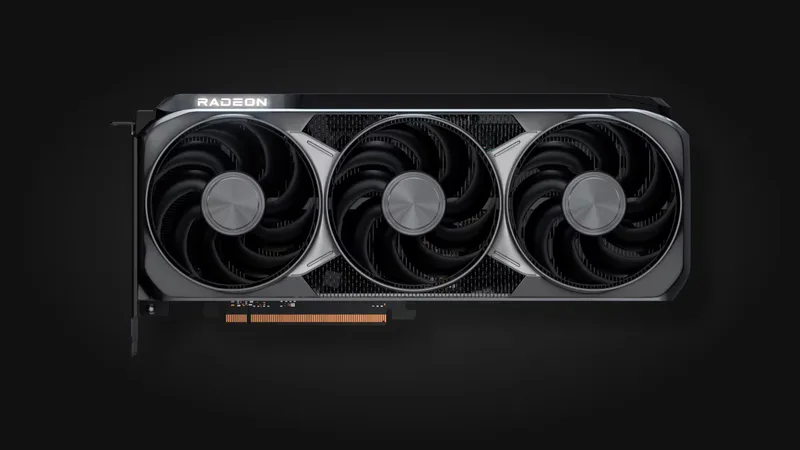
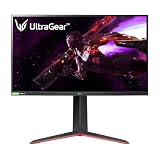
1440p Sweet Spot (7800X3D + 9070 XT) pairs 9 compatibility-checked parts — CPUs: AMD Ryzen 7 7800X3D; Motherboards: MSI MAG B850 Tomahawk Max WiFi; RAM: G.Skill Trident Z5 Neo RGB 32GB (2x16) DDR5-6000 CL30; GPUs: AMD Radeon RX 9070 XT; Storage: Samsung 990 PRO (2 TB); Power Supplies: Corsair RM850x (2024); Cases: Lian Li Lancool 216; CPU Coolers: Arctic Liquid Freezer III 240 A-RGB; Monitors: LG UltraGear 27GP850-B.
Does Setup Gear Guide hands-on test these products?
No — this guide is research-based. We do not hands-on test products; every spec is sourced or flagged as unverified, and product links may be affiliate links that never change our picks.
All PC Builds guides →