Buying DDR5 memory in 2026 is trickier than it should be. Prices swing week to week, the "right" capacity depends entirely on what you do (a 1440p gamer and a video editor want very different kits), and the speed-versus-timing trade-off changes depending on whether you run Intel or AMD. It is easy to overpay for headline megatransfer numbers your platform can't actually use, or to under-buy capacity and hit a wall the moment you open a few project files.
We compare published specs, platform support, and real listed prices. Here is how we read the spec sheets so you don't have to.
What to look for
- Capacity first. 32GB (2x16) is the comfortable baseline for 1440p gaming and general use. Step up to 64GB if you edit video, run virtual machines, or work with local AI models that eat RAM.
- Match speed to your platform. AMD AM5 favors a 6000 MT/s sweet spot with tight timings; Intel Z790/Z890 boards can scale higher (7200+ MT/s) if you want to chase memory tuning. Faster kits cost more and deliver diminishing returns for most workloads.
- Timings (CL) matter as much as raw speed. A 6000 CL30 kit often outperforms a nominally faster kit with looser timings in real games. Lower CL at a given speed is the genuine quality marker.
- Two sticks, not four. A single 2-DIMM kit is easier for the memory controller to run at rated speed than four sticks. Buy the capacity you want as a matched 2-stick kit.
- Profile support and height. Look for XMP 3.0 (Intel) and EXPO (AMD) for one-click speeds, and pick low-profile sticks if you run a big air cooler so tall RGB heat spreaders don't foul the fans.
See how we pick for how we weigh these factors and price.
Our picks
- Best overall — Corsair Dominator Titanium RGB 32GB (2x16) DDR5-6000 CL30 (around $170). The 6000 CL30 sweet-spot capacity and timings, with both EXPO and XMP profiles, from a premium line that has come way down in price. Pick this if you want one kit that just works on AM5 or Intel.
- Best budget DDR5 — ADATA XPG Lancer Blade RGB 32GB (2x16) DDR5-6000 CL30 (around $100). Same 32GB 6000 CL30 spec as the pick above for the lowest price we found, with low-profile sticks and both EXPO and XMP. Pick this if you're building new on a budget and don't care about brand cachet — it works on AM5 and Intel alike.
- Best Intel speed value — Kingston FURY Renegade RGB 32GB (2x16) DDR5-6400 CL32 (around $150). An XMP 3.0 kit that runs past the 6000 baseline, exactly the headroom Intel's Z790/Z890 memory controllers reward. Pick this if you're on Intel and want extra speed without paying tuning-kit money — AM5 buyers are better served by the 6000 CL30 kits above.
- Best DDR4 / older platforms — G.Skill Ripjaws V 16GB DDR4-3200 (around $130). DDR5 isn't an option on every board. Pick this only if you're reusing an existing AM4 or older Intel motherboard — on a new build, the DDR5 kits above are the right call.
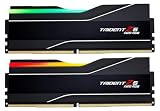
- Best high-capacity — G.Skill Trident Z5 Royal Neo 64GB (2x32) DDR5-6000 CL30 (around $280). 64GB at the same sweet-spot timings, EXPO-tuned for AM5 but happy to run on Intel via XMP. Pick this if you edit video, run VMs, or juggle big projects and want capacity without giving up speed.
- Best high-speed (Intel tuning) — G.Skill Trident Z5 RGB 32GB (2x16) DDR5-7200 CL34 (around $693). The canonical high-speed kit for Z790/Z890 enthusiasts who tune memory. This is for Intel boards — AM5 buyers should stop at the 6000 CL30 kits above, which their memory controller actually prefers.
Memory is one piece of the puzzle. Once you've settled on a kit, pair it with the right chip in our best CPUs guide, then build a complete setup to see how the board, GPU, and cooler all fit together.