Picking a 1440p gaming monitor in 2026 means navigating a panel war that finally tilted toward OLED. QD-OLED and WOLED screens have dropped to prices that used to buy a mid-range IPS, but they sit alongside genuinely excellent fast-IPS panels that cost half as much and dodge the burn-in question entirely. The right call hinges on what you actually play: a competitive FPS player chasing the highest refresh rate wants something very different from someone who wants single-player games to look stunning.
What to look for
The decisions that matter most for a gaming monitor at this resolution:
- Panel type. OLED (QD-OLED or WOLED) delivers near-perfect contrast and instant pixel response for the best motion clarity and image depth. Fast IPS is brighter in a sunlit room, cheaper, and immune to burn-in worries — a safer pick if the screen doubles as a work display showing static UI all day.
- Refresh rate vs. resolution. A 27-inch 1440p panel at 165-240Hz is the sweet spot for most builds. Pure esports players sometimes drop to 1080p to push 280Hz+ on weaker GPUs; cinematic players prioritize the panel over raw Hz.
- Adaptive sync. Confirm VRR support (FreeSync or G-Sync compatible) so frame pacing stays tear-free across your GPU brand.
- Color and HDR. Wide-gamut coverage (DCI-P3) makes games and creative work pop; meaningful HDR needs real local dimming or OLED's per-pixel control, not just an HDR badge.
- Extras that earn their keep. A built-in KVM, USB-C, or a matte versus glossy coating can decide a tie between otherwise similar panels.
Everything below is research-based — drawn from manufacturer specs and the broad consensus on each panel, not our own lab testing. See how we pick for the full approach.
Our picks
- Best overall — Gigabyte M27Q (27" 1440p 170Hz SS IPS, KVM): a fast 1440p IPS with a built-in KVM and USB-C, so it doubles as a two-PC hub. The most broadly sensible pick for a 1440p build.
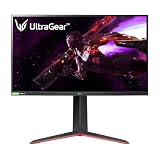
- Best budget — LG UltraGear 27GS75Q-B (27" 1440p 180Hz/200Hz IPS): frequently the cheapest 1440p high-refresh IPS and overclocks to 200Hz.
- Best color on a budget — MSI G274QPF-QD (27" 1440p 170Hz Rapid IPS Quantum Dot): a Quantum Dot Rapid IPS panel that pushes wide-gamut color, a vivid step up.
- Best premium — ASUS ROG Strix XG27AQDMG (27" OLED 240Hz): glossy WOLED 1440p at 240Hz, the immersion pick for single-player nights.
- Best ultrawide — Alienware AW3423DWF (34" QD-OLED ultrawide): the QD-OLED value benchmark for an immersive 34-inch curve, on 2026 sales.
If you want competitive esports speed instead, the MSI MAG 271QPX QD-OLED (27" 360Hz) is the cheapest way into 1440p 360Hz OLED.
Once you've settled on a panel, build a complete setup around it so your GPU, CPU, and the rest of the rig actually keep that refresh rate fed.
What changed in 2026
The big shift this cycle is that OLED stopped being a luxury tier. QD-OLED and WOLED panels at 27-inch 1440p have fallen into price territory that used to buy a solid fast-IPS display, which makes the panel-type decision a real coin-flip for many buyers rather than an easy "IPS for value." At the same time, IPS hasn't stood still: high-refresh fast-IPS panels like the LG UltraGear 27GP850-B remain bright, burn-in-proof, and noticeably cheaper. The trajectory is clear, but it pays to match the panel to your room and your library rather than chasing the newest spec sheet.
Mistakes beginners make
- Buying a refresh rate your GPU can't feed, then running 90fps on a 240Hz panel that a 144Hz screen would have handled for less.
- Putting an OLED on a desk where it shows a static taskbar, IDE, or spreadsheet for eight hours a day and inviting burn-in risk.
- Assuming "HDR400" on the box means real HDR, when meaningful highlights need per-pixel OLED control or genuine local dimming.
- Ignoring the GPU's output ports and cable spec, so a 1440p high-refresh panel gets stuck at a lower refresh over the wrong connector.
- Sitting too close to a 32-inch panel or too far from a 27-inch one and blaming the monitor for eye strain that's really a desk-distance problem.
How much to spend
Minimum viable
A 27-inch 1440p fast-IPS panel in the 144-180Hz range covers the vast majority of builds and never worries about burn-in. The LG UltraGear 27GP850-B is the archetype here: bright, VRR-capable, and a sane match for a mainstream GPU.
Sweet spot
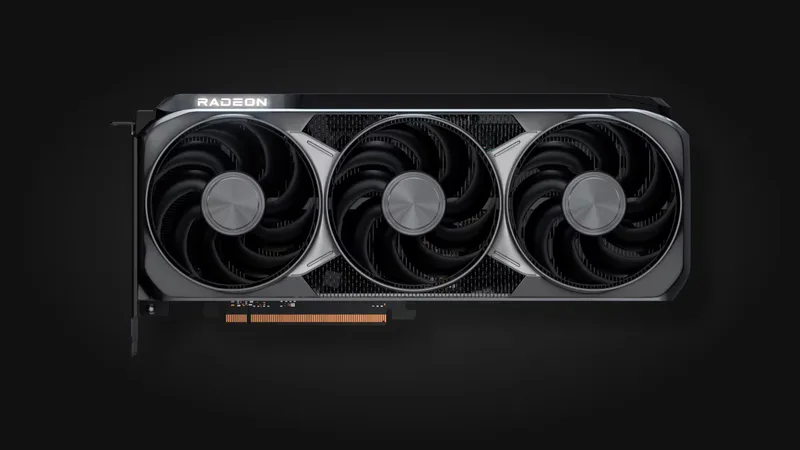
This is where an entry QD-OLED or WOLED now lives. You pay a premium over IPS for near-perfect contrast and instant pixel response, and for a mixed gaming-plus-some-work rig driven by a capable card like the AMD Radeon RX 9070 XT, it's the upgrade you'll actually notice every session.
Buy once, cry once
Top-tier OLED with the highest refresh, best color volume, and the brightness to hold up in a lit room. Worth it only if you'll keep it for years and your GPU can genuinely drive the frames; otherwise the spend outruns the benefit.
How to choose: the decision that matters
Two axes drive this whole category: motion clarity vs. burn-in safety. Motion clarity is OLED's per-pixel-instant strength; burn-in safety is IPS's immunity to static-content wear. Plot yourself on both and you land in one of four quadrants:
- High clarity, low risk need (pure gaming rig): OLED is the easy call — nothing static lives on screen for long.
- High clarity, high risk need (game-and-work hybrid): OLED with disciplined use of pixel-shift and dark taskbars, or accept the tradeoff knowingly.
- Lower clarity tolerance, high risk need (daily work display that also games): fast IPS like the LG UltraGear 27GP850-B is the safer, brighter pick.
- Lower clarity tolerance, low risk need (budget-first build): any well-reviewed fast IPS — spend the savings on the GPU.
How we researched this
Our picks are drawn from a sourced product catalog where every spec is either cited to a primary source or explicitly flagged, and this guide is research-based rather than hands-on bench-tested. See our methodology for how we evaluate, and check the field-level sources listed on each product page to verify any spec yourself.