Acer Nitro XV271 Z (27" 1080p 280Hz IPS)
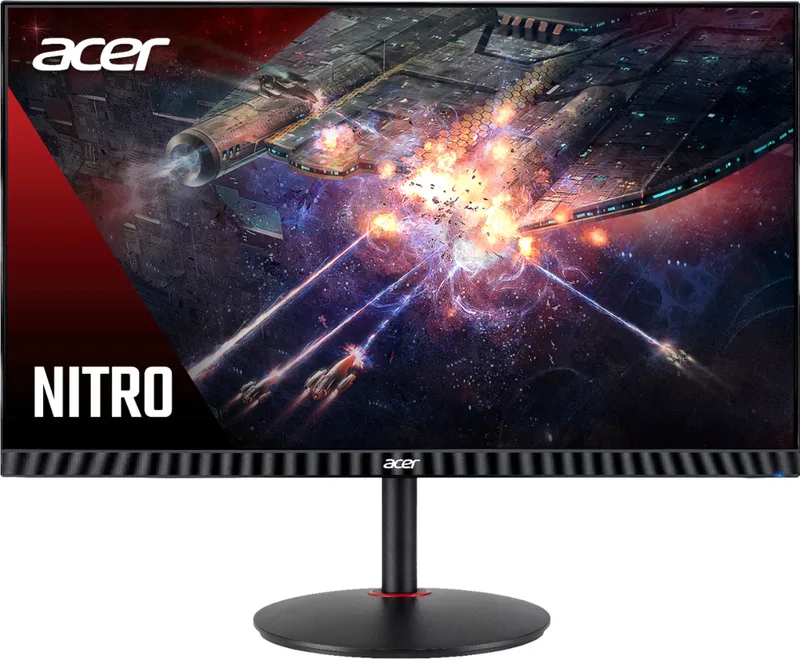
This 27-inch Nitro pushes a 1080p IPS panel to a 280Hz (overclocked) refresh, an enthusiast-tier pick for high-refresh competitive FPS on a larger screen. It's for esports players who prioritize motion clarity over pixel density. Skip it if you want crisp desktop text — 1080p stretched across 27 inches is soft — or meaningful HDR depth.
Scores
BreakdownHideOverall70±6Caliber-forward blend — tier caliber + within-tier price rank 30%, value 25%, confidence 20%, compatibility 15%, upgrade path 10% — renormalized over applicable dimensions; excluded here: compatibility (no ecosystem dimension).
Scores
BreakdownHideCaliber-forward blend — tier caliber + within-tier price rank 30%, value 25%, confidence 20%, compatibility 15%, upgrade path 10% — renormalized over applicable dimensions; excluded here: compatibility (no ecosystem dimension).
The ± band on the overall score reflects sourcing confidence — wider when fewer specs are verified.
How each score is computed: our scoring methodology.
Specifications
| Spec | Value | Verification |
|---|---|---|
| size (in) | 27Sourced | Sourced |
| resolution | 1920x1080Sourced | Sourced |
| refresh (Hz) | 280Sourced | Sourced |
| panel | IPSSourced | Sourced |
4/4 detail specs sourced. Amber rows are flagged for verification — we show them as reported, not confirmed.
Verdict
Best for
- 27" 1080p with a 280Hz (OC) IPS panel for high-refresh competitive FPS on a big screen
Who should skip this
- Sharp 27" desktop text (1080p density); HDR depth
Where to buy
List price $200
Prices are a guide and can change — confirm the current price on the retailer's site before buying.
Also available at
- Newegg · $130Check price
- Best Buy · $200Check price
Prices last checked Jun 29, 2026 — retailer prices change often, so click through for the current price.
Some links may be affiliate links — we may earn a commission at no extra cost to you; rankings are never influenced by it.
Compatibility
No platform-specific compatibility requirements — this works in any standard pc builds setup.
Upgrade path
Outgrow it and the LG 32UN650 (32" 4K IPS) is the natural next step up in monitors. See it →