Buying a camera gimbal is mostly an exercise in matching the stabilizer to your exact rig. A motorized gimbal can only balance the payload it was designed for, so the deciding factor is rarely brand loyalty — it is whether your camera-plus-lens weight sits comfortably inside the unit's range, and whether the body is light enough that you can actually hold it through a full shoot. Phone shooters, mirrorless hybrid creators, and cinema operators each need a different class of tool, and overbuying a heavy cine gimbal for a compact mirrorless setup is just as common a mistake as underbuying.
This guide is research-based: we compare manufacturer specs, payload ratings, and ergonomics rather than running our own bench tests. Here is how we weigh the trade-offs and which models earn a spot.
What to look for
- Payload headroom: Your camera, lens, and any add-ons should land well under the gimbal's rated capacity. A unit running near its limit balances poorly and drains its battery faster.
- Body weight and ergonomics: The gimbal you are willing to carry beats the one that does everything on paper. Lighter bodies matter most for run-and-gun and travel work.
- Form factor for your subject: Phone gimbals, compact mirrorless stabilizers, and cinema-grade rigs are genuinely different categories — pick by what you actually shoot.
- Tracking and app ecosystem: Active subject tracking, extension rods, and platform integrations (such as Apple DockKit) change how usable a gimbal is for solo creators.
- Balancing aids and quick setup: Per-motor indicators, quick-release plates, and auto-tune routines save real time on every shoot.
See how we pick for the full scoring approach.
Our picks
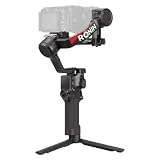
- DJI RS 5 — Best overall: the newest RS-line stabilizer and the most balanced choice for mirrorless hybrid shooters.
- Zhiyun Crane M3S — Best for compact mirrorless: tuned for small prime and zoom setups, with a built-in bi-color fill light.
- Zhiyun Weebill 3S — Best features per dollar: a roughly 1 kg ergonomic body that packs in the most capability for the money.
- DJI RS 4 Mini — Best lightweight pick: an 890 g body that still handles a 2 kg payload for prime and standard-zoom kits.
- Zhiyun Crane 4 — Best for heavy rigs: a DJI-alternative for heftier setups, with per-motor balance indicator lights.
- DJI Osmo Mobile 7P — Best for phone creators: a multifunctional tracking module and built-in extension rod for phone-first shooting; budget-tier.
- Insta360 Flow 2 Pro — Best for iPhone shooters: Apple DockKit tracking that works inside 200+ native apps; budget-tier.
- DJI RS 4 Pro — Best premium / cinema: built for heavy hybrid rigs up to 4.5 kg, with a 2026 combo adding SDR wireless monitoring; premium-tier.
Once you have picked a stabilizer, you can build a complete setup around it so your camera, lens, and accessories all work together.
What changed in 2026
The gimbal market has matured into a quieter, more practical place: the headline race is no longer about raw motor torque but about lighter bodies, faster balancing, and better active tracking. Compact mirrorless setups like a Sony A7C II with a mid-weight zoom now sit comfortably inside the payload of an enthusiast-class unit such as the DJI RS 4 (3 kg rated), so most hybrid shooters no longer need to step up to a cine rig. Prices on last-generation models have softened as new revisions ship, which means the smart buy this cycle is often the outgoing flagship rather than the newest one. Phone stabilizers, meanwhile, have largely commoditized — buy on ergonomics and app, not specs.
Mistakes beginners make
- Buying for the camera body alone and forgetting the lens, cage, or microphone that pushes total weight past the gimbal's rated payload.
- Overbuying a heavy cinema rig for a compact mirrorless setup, then leaving it at home because it is too tiring to carry.
- Skipping the balancing step and relying on the motors to compensate, which drains the battery and produces visible micro-jitter.
- Running the unit near its maximum payload, where it balances poorly and overheats on long takes.
- Treating active tracking and the companion app as afterthoughts when they are what you actually use on every shoot.
How much to spend
Minimum viable
If you shoot mostly on a phone or the lightest mirrorless body, a basic stabilizer gets you smooth motion without overcommitting. Spend just enough to clear your real payload with headroom — pouring money into torque you will never use is wasted.
Sweet spot
For most hybrid creators this is where the value lives: an enthusiast-class unit like the DJI RS 4 handles a full-frame body and f/2.8 zoom with room to spare, balances quickly, and stays light enough for a full day. This is the tier to default to unless you have a specific reason not to.
Buy once, cry once
Only step up to a cinema-grade rig if your payload genuinely demands it — large cameras, heavy cine lenses, or follow-focus motors. Buying at this tier for a compact setup is paying for capacity you will carry but never need.
How to choose: the decision that matters
The two axes that actually drive a gimbal purchase are payload headroom (how much weight it can balance above your real rig) and carry weight (how heavy the gimbal itself is to hold). Plot your kit against both and you land in one of four quadrants:
- Generous headroom, light body: the ideal — a sweet-spot unit like the DJI RS 4 for a mirrorless hybrid setup.
- Generous headroom, heavy body: a cine rig — correct only when your camera and lenses truly need it.
- Tight headroom, light body: a phone or entry stabilizer — fine until you add accessories, then you have outgrown it.
- Tight headroom, heavy body: the worst of both — you bought weight and still have no room to grow. Avoid.
How we researched this
Every pick here is drawn from our sourced product catalog, where each spec is either citation-backed or flagged when a manufacturer figure could not be confirmed — we compare payload ratings, body weight, and ergonomics rather than running our own bench tests. Read more about our process in our methodology, and check the field-level sources listed on each product page before you buy.