Scarlett 2i2 (4th gen) vs MOTU M2: the default interface duel
Both of these are correct first interfaces, which is exactly why the choice paralyzes people. By the spec sheet they are near-twins: USB-C, two mic/line inputs with phantom power, two outputs, software loopback, and the same enthusiast-tier home-studio positioning at the same price point. The real fork is philosophy. The MOTU M2 is built to give you the cleanest possible signal and the best information about it; the Scarlett 2i2 (4th Gen) is built to make sure a first-timer never records a take they have to throw away. You are choosing between fidelity-and-feedback and guardrails-and-ecosystem.
Pick the MOTU M2 if you care about converters and want to see what you're doing. The M2's calling card is its ESS Sabre converter lineage — the same family of DAC chips you find in dedicated hi-fi gear — which is why it's widely regarded as the technical winner for fidelity in this class. The other genuinely differentiating feature is the front-panel full-color LCD metering: real input and output level meters, not a single tri-color LED that flickers near clipping. For a beginner that's underrated, because setting gain correctly is the one skill that separates a usable recording from a noisy or distorted one, and the M2 lets you set it by looking instead of guessing. On the back, the M2 also gives you independent main-monitor and headphone level controls plus a set of RCA monitor outputs alongside the balanced TRS pair, so a desktop setup feeding powered monitors and a headphone mix stays tidy without a separate volume box. It ships with full-size 5-pin MIDI DIN in and out, too, so a hardware-synth or controller-keyboard owner can skip a separate MIDI interface. If you're PC-only and chasing the quietest, most accurate front end at this tier, the M2 is the long-term keeper.
Pick the Scarlett 2i2 (4th Gen) if you are recording yourself, alone, and you want the interface to cover for you. It's the most popular interface ever made, and the 4th-gen feature set is why it keeps earning that. Auto Gain listens to a test phrase or performance and sets your input level automatically; Clip Safe watches the signal and pulls gain back the instant a peak threatens to distort — both are aimed squarely at the exact failure mode beginners hit most, and both work without you understanding the underlying problem first. The switchable Air mode adds a presence/brightness voicing that flatters spoken vocals and acoustic sources. Just as important is what comes around the box: the Focusrite software bundle (the Hitmaker/Producer collection of plugins and instruments) starts a brand-new producer's tool library from zero. That matters far more when your folder is empty than when it's already full — instead of buying, say, a vocal compressor and a virtual-instrument pack as separate purchases on day one, you open the box already holding usable versions of both. If this is your first interface ever and you're learning solo, the assists earn their keep.
The trap to avoid: buying the M2 because the converters are "better" on paper when you're a total beginner recording one voice into an empty session. Reviewers generally treat the fidelity edge as real but modest at normal listening levels, and whatever edge there is gets dwarfed by the damage of a clipped or under-gained take — which is precisely the problem the Scarlett's Auto Gain and Clip Safe are built to prevent. The inverse trap is just as common: choosing the Scarlett for its software bundle when you already own a DAW and plugins and would actually benefit more from the M2's metering and converters every single session. Match the box to where you are, not to the longer spec list. One practical footnote: the M2's more metal-bodied build feels a touch more rugged on a busy desk than the Scarlett's lighter chassis, but both run dependably on USB bus power from a laptop, so neither forces a separate power supply for a simple two-channel rig.
A note for streamers and podcasters: both interfaces offer the software loopback the intro mentions, so either one can fold system audio (a remote guest, a backing track, a clip) back into your recording or stream without a virtual-audio workaround. If that's your core use case, loopback is close enough to a wash that the decision still comes down to the same fork — the Scarlett's assists for a solo talker versus the M2's metering and monitor flexibility for a more built-out desk.
Bottom line: if this is genuinely your first interface and you're tracking yourself alone, the Scarlett 2i2 (4th Gen) is the safer recommendation — its guardrails address the mistakes beginners make and its bundle gets you producing immediately. The moment you have any experience, a collaborator sharing the room (where the M2's always-visible meters let either person set levels at a glance), hardware MIDI gear to connect, or a converter-quality priority, the MOTU M2 becomes the better desk-mate for years. Neither is a wrong answer; just buy the one whose strength matches the way you'll actually work.
Spec comparison (generated live)
| Spec |  MOTU M2 MOTU M2MOTU | 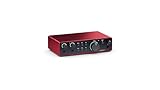 Focusrite Scarlett 2i2 (4th Gen) Focusrite Scarlett 2i2 (4th Gen)Focusrite |
|---|---|---|
| Price (tracked / list) | $200 / $180 list | $295 / $180 list |
| Overall scoreeffectively tied (within ±6pt band) | 70±6 | 70±6 |
| Tier | enthusiast | enthusiast |
| connection | USB-C | USB-C |
| mic inputs | 2 | 2 |
| outputs | 2 | 2 |
| phantom power | yes | yes |
| loopback | yes | yes |
| Where to buy | Check price | Check price |
Some links may be affiliate links — same price for you; our comparisons are never influenced by commissions.